Google Search by Image
[]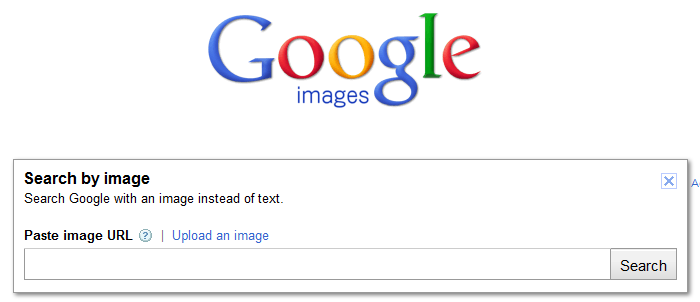
Editor’s note, 22 July 2026: This post was originally published on 7 July 2011, when Google had just announced Search by Image. The original screenshots and date remain part of the archive. The practical question has moved on: how should a site support visual and multimodal discovery without treating image visibility as a guarantee?
The interface described in the original article is historical. Current image-search or Lens behaviour should be checked against Google’s current documentation rather than inferred from the screenshot.
Image search is not a decorative extra for a product catalogue or an editorial site. It is one way people discover objects, places, products, instructions, and the pages that explain them. A visual query may also be combined with words, so the image is part of a question rather than the whole question.
That does not make image search a separate ranking trick. It makes the image, its surrounding page, and the information that describes it part of the same discovery problem.
Build an image that gives the page a reason to exist
Start with a useful asset: a clear product photograph, a diagram that explains a mechanism, an original result, a map, or an image of a place you actually describe. The image should support the page’s purpose rather than exist only to create another indexable file.
Google’s image SEO guidance recommends crawlable images, relevant page context, descriptive filenames and alt text, and good technical presentation. Those are quality and discoverability practices, not a promise that a page will appear for a visual query.
Give each important image a stable page, a useful nearby heading or caption where appropriate, and enough text for a reader to understand what the image shows. Do not fill filenames, captions, or alt text with repeated search terms. That makes the content worse for people and gives an inaccurate description to assistive technology.
Alt text is for meaning, not image search
Write alt text for someone who cannot see the image. Describe the information the image contributes to the page. For a product, that may include the model and a relevant visible feature. For a diagram, describe the relationship the diagram explains. For a decorative image, an empty alt attribute may be correct.
The W3C Images Tutorial covers these distinctions and the need to account for context. Alt text is not a hidden keyword field. It is part of the page’s accessibility contract.
A caption and alt text can serve different jobs. The caption can identify the source or explain why the image matters to every reader. Alt text should not simply repeat a caption if that loses the image’s useful meaning.
Product discovery needs accurate product data
A shop should not rely on a photograph alone. Keep the product title, description, price, availability, brand, identifiers, shipping information, and returns information accurate wherever they are shown. Use Product structured data and, where appropriate, a Merchant Center product feed to make product details available in the formats Google’s systems support.
Structured data can make a page eligible for particular search features. Eligibility is not inclusion, position, or a sales result. Product data also goes stale quickly, so the operational work is keeping it aligned with the page and the actual offer.
The same principle applies outside commerce. A photograph of a building is more useful when the page explains what the building is and why it matters. An illustration is more useful when the surrounding text answers the question that led someone to it.
Visual and multimodal results have limits
Visual systems do not understand every image equally well. Results can vary with the image itself, the text supplied with it, language, location, product coverage, image rights, and whether the source page can be crawled and indexed. A result may be a visual match, a related concept, a product listing, or a page that shares only part of the context.
There is no requirement to publish an identical copy of an image, and publishing one does not guarantee discovery. A visual result is not proof that the system has verified the object’s identity, the person shown, the product’s availability, or the rights to reuse the image.
Check the rights and permissions for every image. If people, private places, or customer work are involved, consider whether publication is appropriate before thinking about discovery. Accessibility and lawful use come before search exposure.
A practical checklist
- Publish an original or properly licensed image that supports the page.
- Make the image and its page crawlable without blocking the relevant resources.
- Use concise, accurate filenames, alt text, captions, and nearby text.
- Keep product structured data and feeds aligned with the live offer.
- Test the page at useful mobile widths and with images unavailable.
- Check how the result represents the image, but do not treat one observation as a performance measure.
- Review image rights, privacy, and accessibility before publication.
The enduring lesson from the 2011 announcement is that images can carry meaning. The current lesson is narrower: make that meaning available to people and machines, then accept that visual discovery remains probabilistic and outside the publisher’s control.